Tarkle vs Egnyte: client sharing or content governance
In this Egnyte comparison, weigh the content work you manage against the client exchanges you send and receive. Tarkle's file sharing sends files with one branded link. File requests let anyone with the link send files into a workspace folder. The client portal lets a contact find the files and requests you shared with them, download them, and upload files into a folder of their own. Egnyte describes its Content Cloud around collaboration, AI and information governance.
Last checked: November 2026.
What Egnyte is
Egnyte describes its Content Cloud as a way to simplify collaboration, improve productivity with AI and address information governance. Its products page presents those areas together. Egnyte's governance page describes identifying and classifying sensitive content, reducing exposure and supporting compliance work.
What Egnyte offers
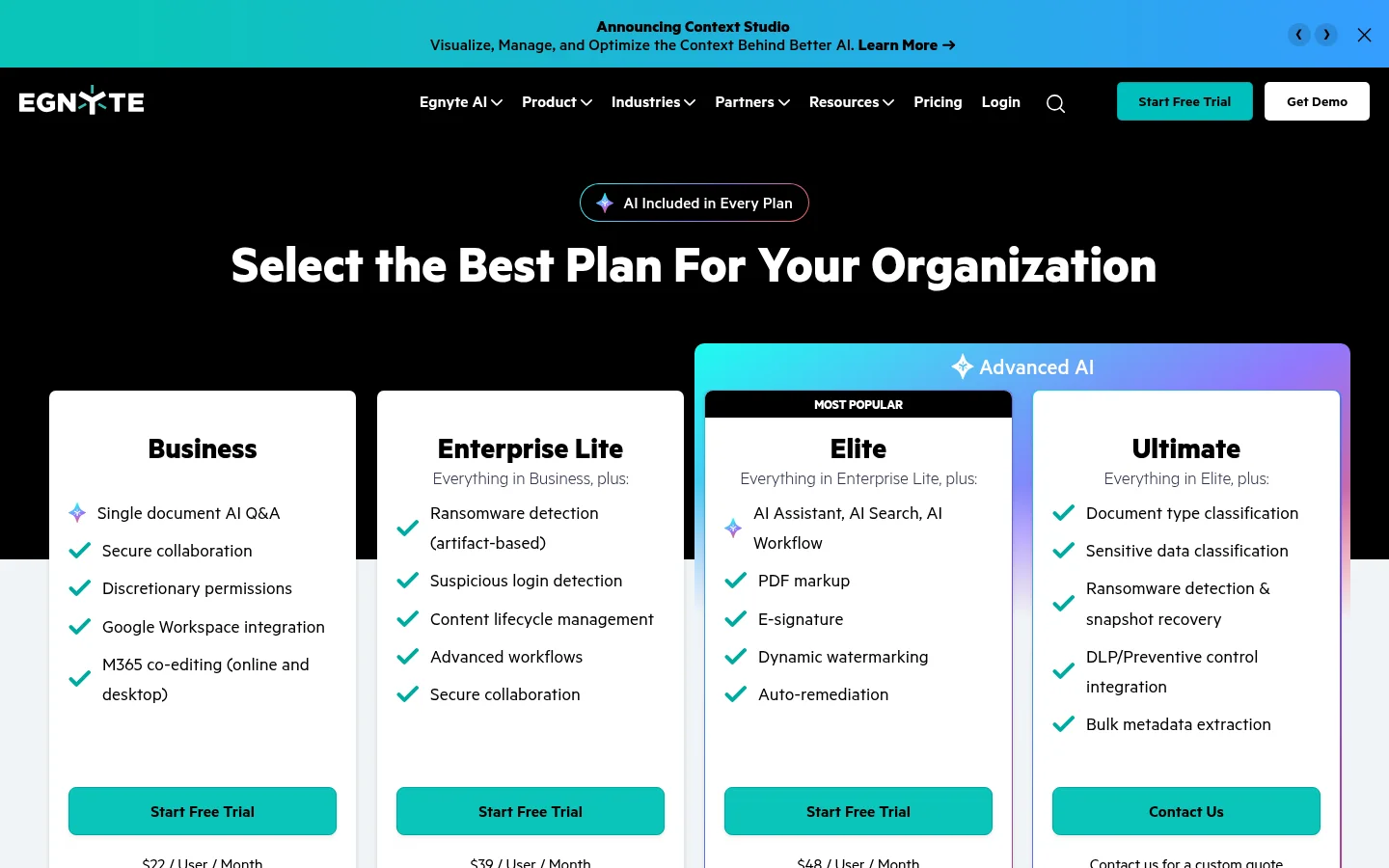
Egnyte's pricing page lists Business at $22 per user per month, paid annually. Enterprise Lite is $39 per user per month, paid annually. Elite is $48 per user per month, paid annually. Business lists Microsoft 365 co-editing online and desktop. Enterprise Lite lists ransomware detection. Elite lists PDF markup.
Egnyte's external sharing page describes links with expiry dates and passwords. It also describes granular permissions for external users and logged actions. The pricing page lists Document Portal for financial-services client onboarding, document requests, collection and sharing.
What Tarkle does for client sharing
A file link can use a password and expiry date. A file request lets anyone with its link send files straight into a folder in your workspace.
The portal Files view includes files and folders shared with the contact and the contents of their own upload folder. Portal access requires an organization on Pro or Agency. The workspace's Enable client portal switch must be on. The contact must have portal access turned on. The client portal guide explains the Files view and access conditions.
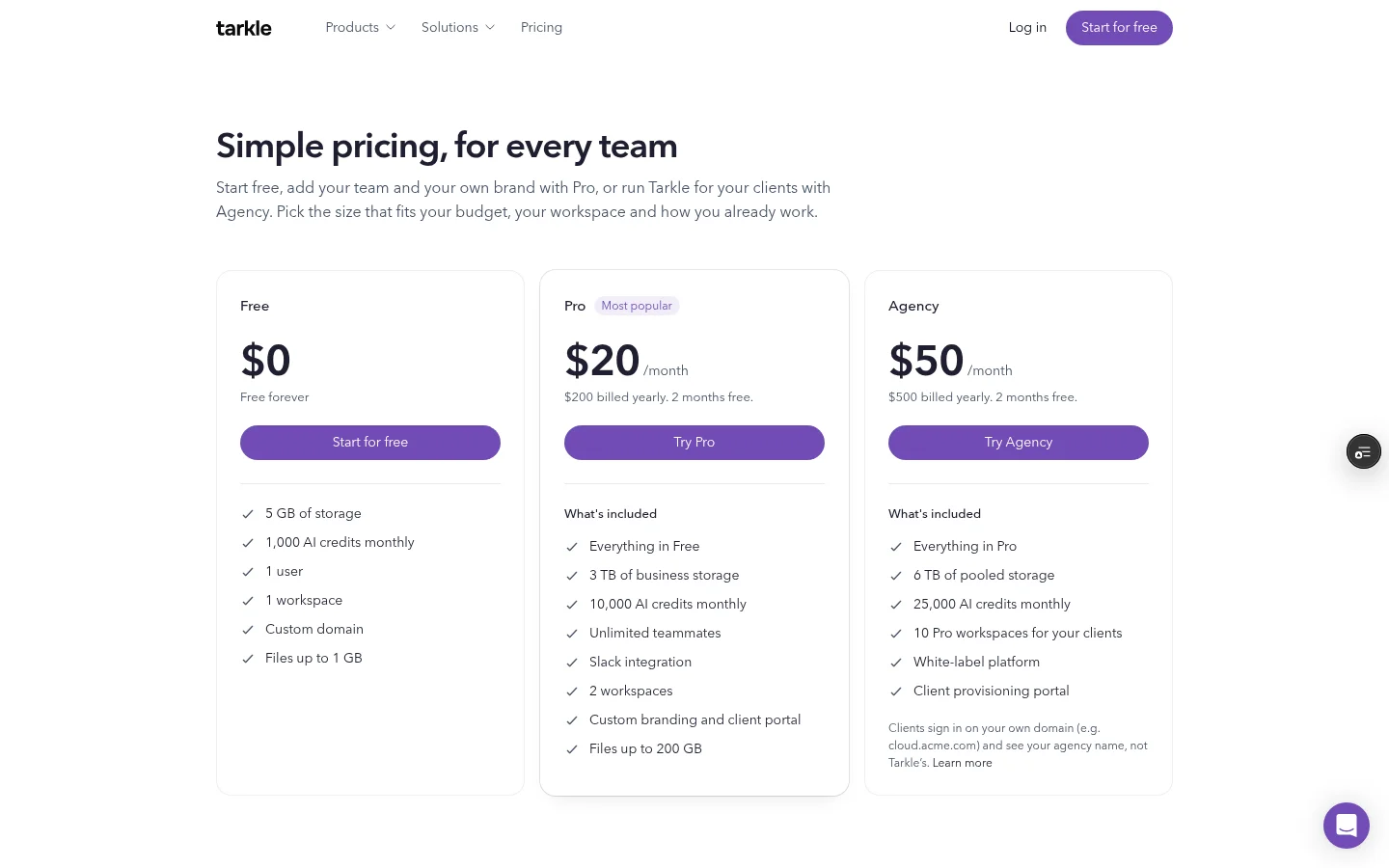
Plans belong to the organization. Free costs $0 and includes 5 GB of storage and one workspace. Pro costs $20 monthly or $200 billed yearly and includes 3 TB of pooled storage and two workspaces. Agency costs $50 monthly or $500 billed yearly and includes 6 TB of pooled storage and 10 client workspaces. See Tarkle's plans and prices for the full details.
Free includes a Brand Page for a brand's logos, colours, fonts and guidelines. Pro includes custom branding and a client portal. Agency adds a white-label platform. White label applies when the organization is active, the White label setting is on and the Agency plan is in force.
Egnyte vs Tarkle
What to compare | Tarkle | Egnyte |
|---|---|---|
Plan pricing | Organization plans: Free, Pro and Agency | Business, Enterprise Lite and Elite are priced per user, paid annually |
Sharing links | Links can use passwords and expiry dates | External sharing links can use passwords and expiry dates |
Bring files in | File requests send uploads to a folder in your workspace | Document Portal is listed for financial-services document requests and collection |
Client portal | Files view includes shared files and the contents of the contact's own upload folder | Document Portal is listed for financial-services client onboarding, requests, collection and sharing |
Product emphasis | File links, requests and a client portal for client exchanges | Content Cloud combines collaboration, AI and information governance |
Compare the work you need to coordinate: company content management, client file sharing, or both. One product may be evaluated for governance across company content, while another may be evaluated through a client's file exchange.
Why teams use Tarkle for client files
A client exchange can involve sending a finished file, collecting a form or source document, then giving the client a place to return to shared work. File links, file requests and the client portal cover those parts of the exchange.
The plan structure is another difference. Egnyte lists per-user prices with annual billing; Tarkle's Pro and Agency prices apply to the organization. Pro includes two workspaces. Agency includes 10 client workspaces, 6 TB of pooled storage and the white-label platform, subject to its activation conditions.
Compare one real client exchange: what you send, what the client needs to return and whether they need a portal to revisit shared files.
Switching from Egnyte to Tarkle
Start by mapping one client exchange rather than treating it as a full content-system move. Note which files go out, what the client sends back and whether they need ongoing portal access. Use those points to assess each platform against the client's routine.
Choose one upcoming project and write down the outgoing files, the requested uploads and the point at which the client should return to shared material. That gives you a concrete comparison without changing every process at once.
Frequently asked questions
What is the main difference in an Egnyte comparison?
Egnyte describes a Content Cloud for collaboration, AI and information governance. The Tarkle features described here cover file links, file requests and client portal access.
How much does Egnyte cost?
See the annual per-user prices for Business, Enterprise Lite and Elite in the Egnyte pricing section above.
What can a client see in the portal Files view?
It includes files and folders shared with the contact, along with the contents of that contact's own upload folder. Access also depends on the organization plan, workspace setting and contact access.
How many client workspaces does Agency include?
Agency includes 10 client workspaces and 6 TB of pooled storage for the organization. The white-label platform applies when the organization is active, the setting is enabled and Agency is in force.
Can a team compare the tools with one client project first?
Yes. Compare a file link, a file request and portal access for one client exchange. The Free plan includes file sharing. Client portal access is on Pro and Agency.
Try a client file-sharing flow
Compare the plan details, then start for free with a client exchange that matters to your team.