Tarkle vs Filemail: branded links on your own domain
Filemail vs Tarkle comes down to the address clients see and how they send files back. Filemail’s published example is a branded subdomain; Tarkle opens file links and the client portal from your own domain, with file requests for incoming work.
What Filemail is
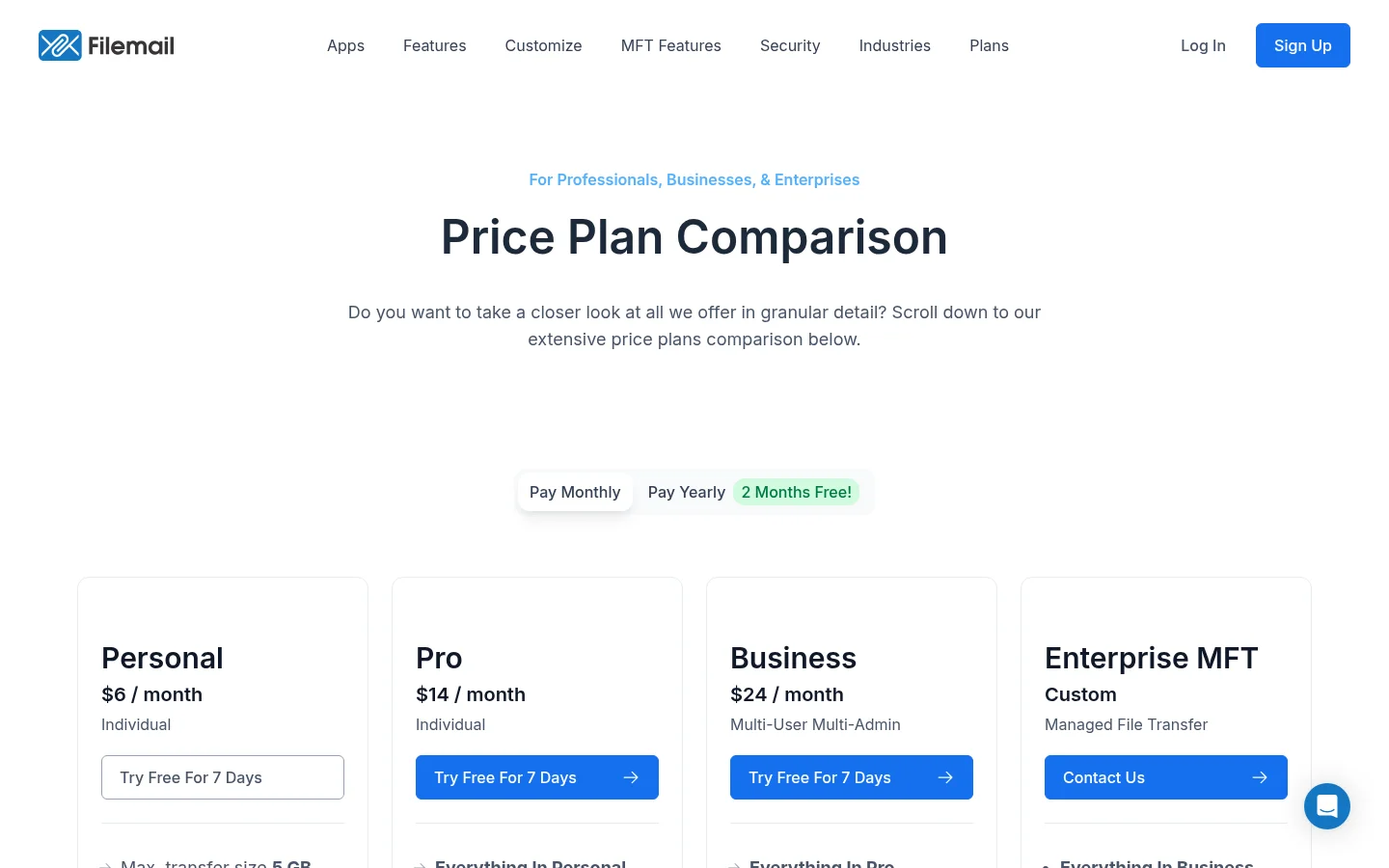
In November 2026, Filemail described its service as a way to send large files through email or a shareable link (see its official home page). Its other pages also cover receiving files from clients through a portal, subdomain, file request or website form. Those details make the client-facing address and the return path useful points to compare.
What Filemail offers
Filemail’s custom-subdomain page gives degree.filemail.com as an example. Filemail’s receive-files page, checked in November 2026, says custom subdomains are available to Pro, Business and Enterprise accounts. The example is on Filemail’s domain, so it makes clear what address its page documents.
Filemail lists four ways to receive files: a dedicated portal, a custom subdomain, a file request and an upload form on your website. Its portal has an inbox, file-request settings, notification policies and user access controls. Filemail says its outward-facing facilities can use chosen images and colors. These details come from Filemail’s receive-files and portal pages.
What Tarkle does
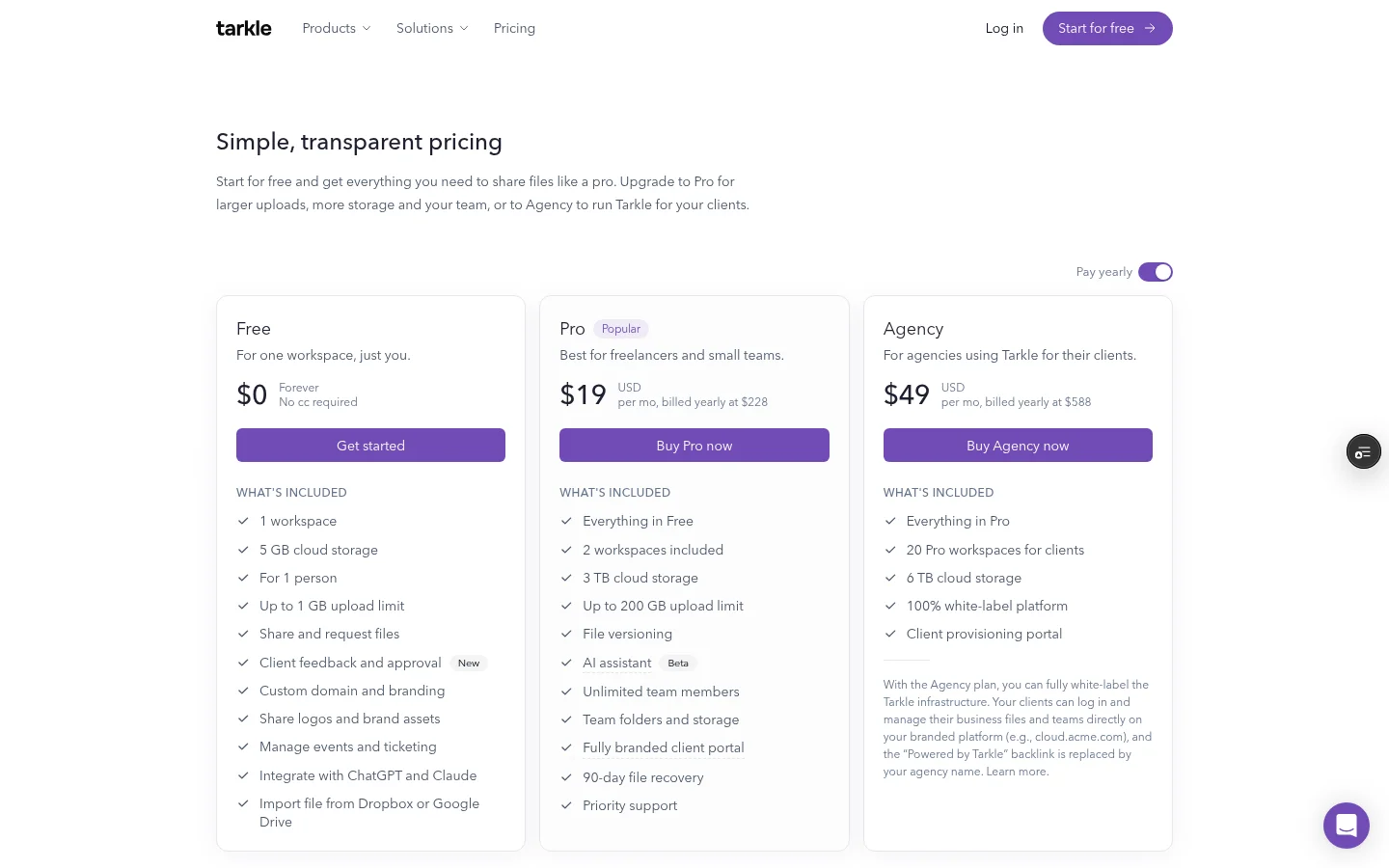
Tarkle connects branded file delivery to your business’s own domain. The Custom domain feature page says file links and client portal sign-in pages can open on your domain. Free includes a custom domain; the plan table lists one workspace domain on Free, a domain per workspace on Pro, and a domain per workspace plus one for the agency on Agency.
A familiar address is one part of the brand. The Custom branding feature puts your logo, accent color and favicon on transfer pages, request pages and the client portal. File sharing gives you one branded link for files and folders. File requests collect files from anyone with a link into the folder you choose.
The client portal is included on Pro and Agency. It serves a client when the workspace portal is available and portal access is enabled for that client contact. For setup, the client portal guide explains the client invitation flow.
Agency includes 10 client workspaces and a white-label platform. White label applies when the organization is active, the White label setting is on and the Agency plan is in force. Clients then sign in on your domain and see your agency name. Pro costs $20/month or $200 billed yearly; Agency costs $50/month or $500 billed yearly. See Tarkle plans and pricing for plan details.
Filemail vs Tarkle
What to compare | Tarkle | Filemail |
|---|---|---|
Branded address | File links and portal sign-in can use your domain; Free includes a custom domain. | The published example is |
Branded pages | Logo, accent color and favicon on transfer pages, request pages and the client portal. | Chosen images and colors on outward-facing facilities. |
File intake | File requests collect files into the folder you choose. | Portal, custom subdomain, file request and website upload form. |
Filemail documents a customizable subdomain and several ways to receive client files. Tarkle connects file links on your own domain with branded pages, file requests and a client portal. The key distinction is the client-facing address: Filemail’s published example uses a Filemail subdomain, while Tarkle’s feature page describes links and portal sign-in on your business domain.
Why teams use Tarkle for client sharing
A client project often has two file-sharing jobs: sending finished files and collecting the next set. Tarkle links the branded delivery page to a file request that puts incoming files into a folder you choose. Its custom domain feature also covers the file link and client portal sign-in, so the address is part of the same brand as the pages clients open.
For agencies, Agency adds client workspaces and a white-label platform. The custom domain feature covers the address on links and portal sign-in; white label applies only when the organization is active, the White label setting is on and the Agency plan is in force. The distinction matters when you compare a branded link with a full agency-branded platform.
Free includes a custom domain, file sharing and file requests, so you can test the branded link and intake flow before choosing a paid plan. The client portal is part of Pro and Agency, with workspace availability and each contact’s access enabled as described above. Use the plans and pricing link earlier in this section to review the prices and features together.
Before replacing a link in a client email or proposal, open a test transfer on your custom domain and check the address and branding. Then create a file request for a test upload to confirm that it points to the folder you intend.
Switching from Filemail to Tarkle
Start by listing the Filemail subdomains and receiving links your clients use. Group them by whether a client opens a delivery link or needs to send files back. This gives you a short replacement list without changing every message at once.
Add the custom domain from the workspace’s Domains page, then follow the custom domain setup guide. Open a test transfer before you replace links in templates. When clients need to send material back, create a file request for the folder you want to receive it in.
Keep an inventory of places where you shared a Filemail address, such as proposals and saved email replies. Update each one after its Tarkle replacement is tested.
FAQ
Does Filemail use a custom domain?
Filemail’s custom-subdomain page shows degree.filemail.com as an example. Its receive-files page lists subdomains for Pro, Business and Enterprise accounts.
Can Tarkle use my business domain for file links?
Yes. Tarkle’s custom-domain feature says file links and client portal sign-in pages can open on your domain. Free includes a custom domain.
What must be enabled for a Tarkle client to sign in?
The workspace portal must be available, and access must be enabled for the individual client contact.
Can clients send files back through Tarkle?
Yes. A File request lets anyone with its link send files into the folder you choose. File requests are included on Free, Pro and Agency.
How does Agency white label work?
Agency includes a white-label platform. It applies when the organization is active, the White label setting is on and the Agency plan is in force; clients then sign in on your domain and see your agency name.
Which data residency regions can I select in Tarkle?
Tarkle lists Europe, United States, Hong Kong and Australia as the selectable data-residency regions.
What to remember about Tarkle
Tarkle’s own-domain file links and file requests cover delivery and file collection under your brand. Start for free.