Tarkle vs Jottacloud: client sharing or backup (2026)
Jottacloud comparison readers will find two different sets of tools: Tarkle connects client file sharing with file requests, while Jottacloud publishes device backup, syncing and link sharing. Here are their published features and plan details side by side.
What Jottacloud is
Jottacloud is a Norwegian company, and its feature page says its data centers are located in Norway and it operates its own servers and infrastructure (Jottacloud features, checked November 2026). The feature list says, “Back up all your devices: computers, mobile phones, and tablets,” and “Jottacloud syncs your data across all your devices.” Its encryption page states, “Jottacloud uses HTTPS and TLS 1.3 to protect the actual transfer of data over the internet and to your cloud.” It also says data stored on its servers is encrypted “at rest” and that an AES-256-bit key is used (Jottacloud on encryption and data, checked November 2026).
What Jottacloud offers
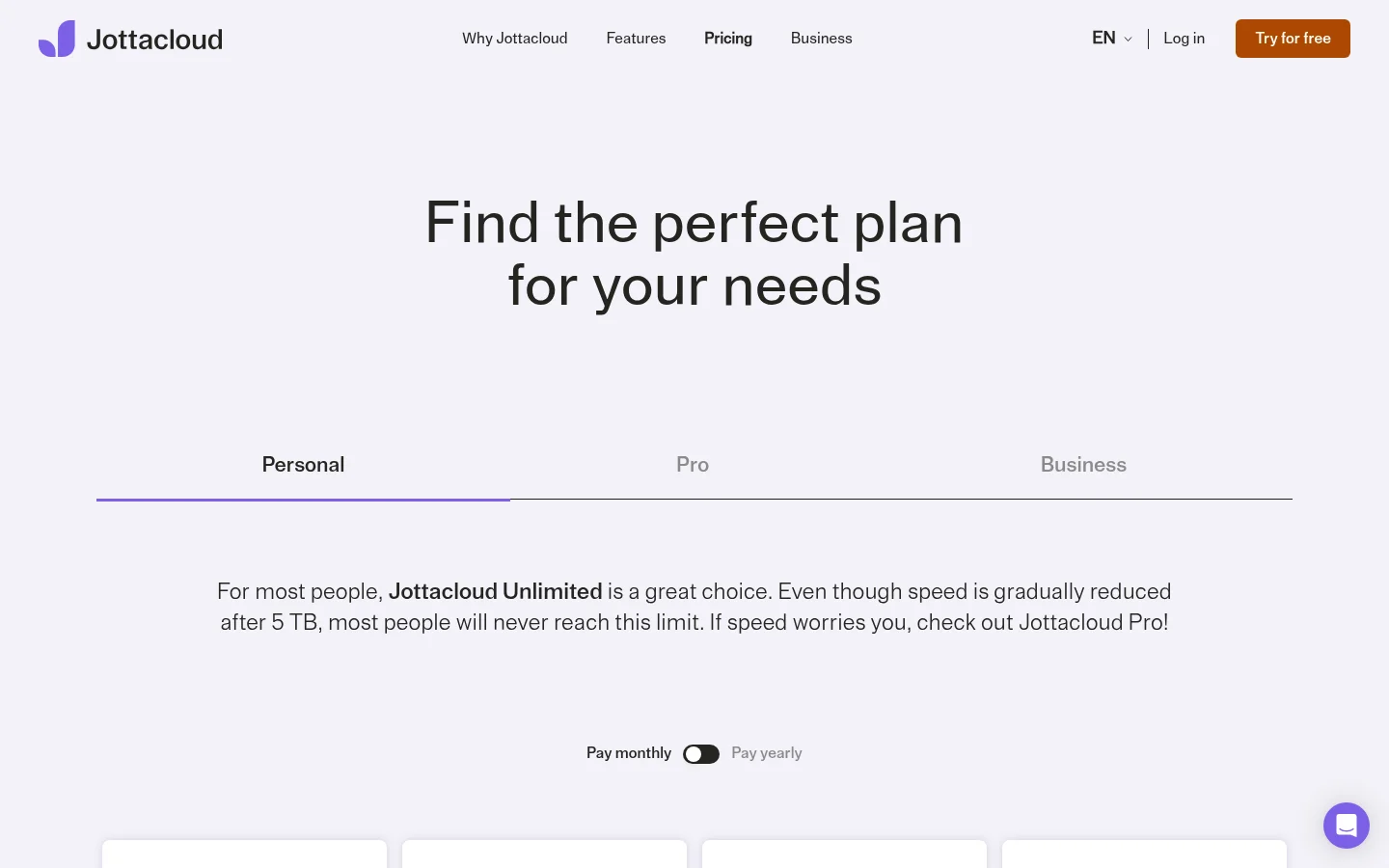
Jottacloud's pricing page lists Free with 1 user and 5 GB storage. Pro 10 TB lists NOK 299 / month and NOK 2990 / year. Business Small lists 2 users, 1 TB storage and NOK 129 / month or NOK 1548 / year. Jottacloud marks its Pro and Business plans as licensed for commercial use (Jottacloud pricing, checked November 2026).
For sharing, Jottacloud says, “Easily share files and photos using links, regardless of size and number of files.” It also lists collaboration in shared folders. The features page says it stores the last five versions of files and keeps deleted items in the recycle bin for 30 days. It describes storage for photos, videos, documents and other file types.
What Tarkle does for client sharing
Tarkle lets you share files and request files from clients. Start with file transfers for outgoing material and file requests for files to collect. In a workspace, open Transfers to manage file sharing and Requests to manage incoming requests.
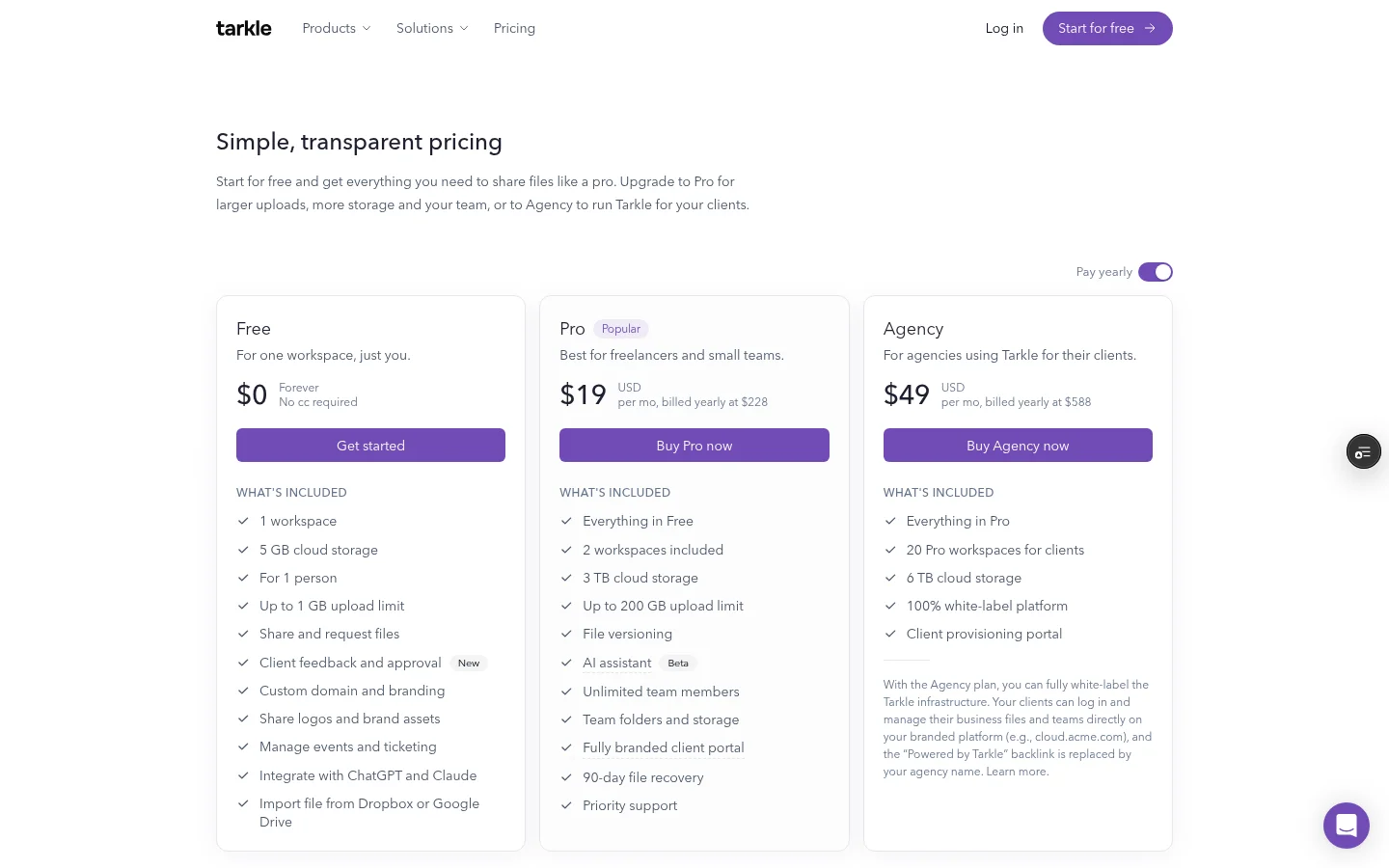
Pro includes 2 workspaces, 3 TB of storage and files up to 200 GB. Agency includes 10 workspaces for clients and 6 TB of storage pooled across the organization's workspaces. Pro includes a client portal. Agency includes everything in Pro. Agency also includes a white-label platform. See Tarkle's plans for plan details.
The client portal gives clients access to shared files and lets them send files back. Portal availability depends on the plan and the workspace's portal setting; the signed-in client contact must also have access enabled. The Files view includes files shared with that contact and files and folders in the contact's own upload area.
Agency's white-label platform can replace Tarkle's name with the agency's. It applies when the organization is active, White label is enabled and the Agency plan is in force. Public transfer links can open without sign-in. A transfer restricted to a client organization requires a signed-in client whose organization matches the transfer.
Jottacloud vs Tarkle
Job | Tarkle | Jottacloud |
|---|---|---|
Client exchange | Share files and request files; client portal | Share files and photos using links; shared folders |
Device backup | File sharing and file requests | Automatic backup |
Storage example | Pro: 3 TB pooled across 2 workspaces; Agency: 6 TB pooled across 10 client workspaces | Business Small: 1 TB storage; 2 users |
Why client teams use Tarkle
A client exchange often has two directions: send the finished file, then collect source material or documents for the next task. File transfers and file requests cover those two parts. The outgoing link and the incoming request are managed separately in the workspace, so you can keep the delivery and the requested material clear.
For ongoing client work, the portal adds a place for the files shared with a contact and that contact's own uploads. Portal availability depends on the organization plan and workspace setting, and access is enabled for the individual signed-in contact. This gives a client a place to receive files and send material back.
The practical distinction is in the work being handled. Jottacloud's published feature list covers backup and syncing as well as sharing; Tarkle's client-sharing features connect file delivery, file requests and portal access. The portal brings shared files and client uploads into one Files view.
Try one client exchange
Start with the next delivery. Add the files you need to send to a transfer, share its link, then create a request for the material you need returned. If you use the client portal, enable it for the workspace and the contact before they sign in.
Write down which files are going out and which ones you need back before creating the transfer and request. That keeps the two links tied to the same client task.
FAQ
Does Jottacloud back up computers and phones? Yes. Jottacloud lists automatic backup for computers, mobile phones and tablets, along with syncing across devices on its feature page.
Can Jottacloud share files with other people? Its feature page lists links for files and photos regardless of size or number, plus shared folders for collaboration.
What must be enabled for the Tarkle client portal? Portal availability depends on the plan and the workspace setting. The signed-in contact must also have portal access enabled.
Can a client open a Tarkle transfer without signing in? Public links can open without sign-in. A transfer restricted to a client organization requires a signed-in client whose organization matches it.
How much storage is pooled on Pro and Agency? Pro includes 3 TB across 2 workspaces; Agency includes 6 TB across 10 client workspaces.
Start with a client exchange
Tarkle connects file sharing and file requests, with a client portal on Pro and Agency. Start for free.