Tarkle vs NordLocker: client file sharing
A NordLocker comparison comes down to the job: NordLocker describes encrypted cloud storage and sharing, while Tarkle brings file transfers, file requests and a client portal together for work with clients. Here are the differences in file size, storage, sharing controls and how clients exchange files.
Last checked: November 2026.
What NordLocker is
NordLocker presents encrypted cloud storage with a zero-knowledge architecture. Its feature pages describe sharing encrypted files through a password-protected link or inviting Editors and Viewers by email. (NordLocker features, checked November 2026.)
What NordLocker offers
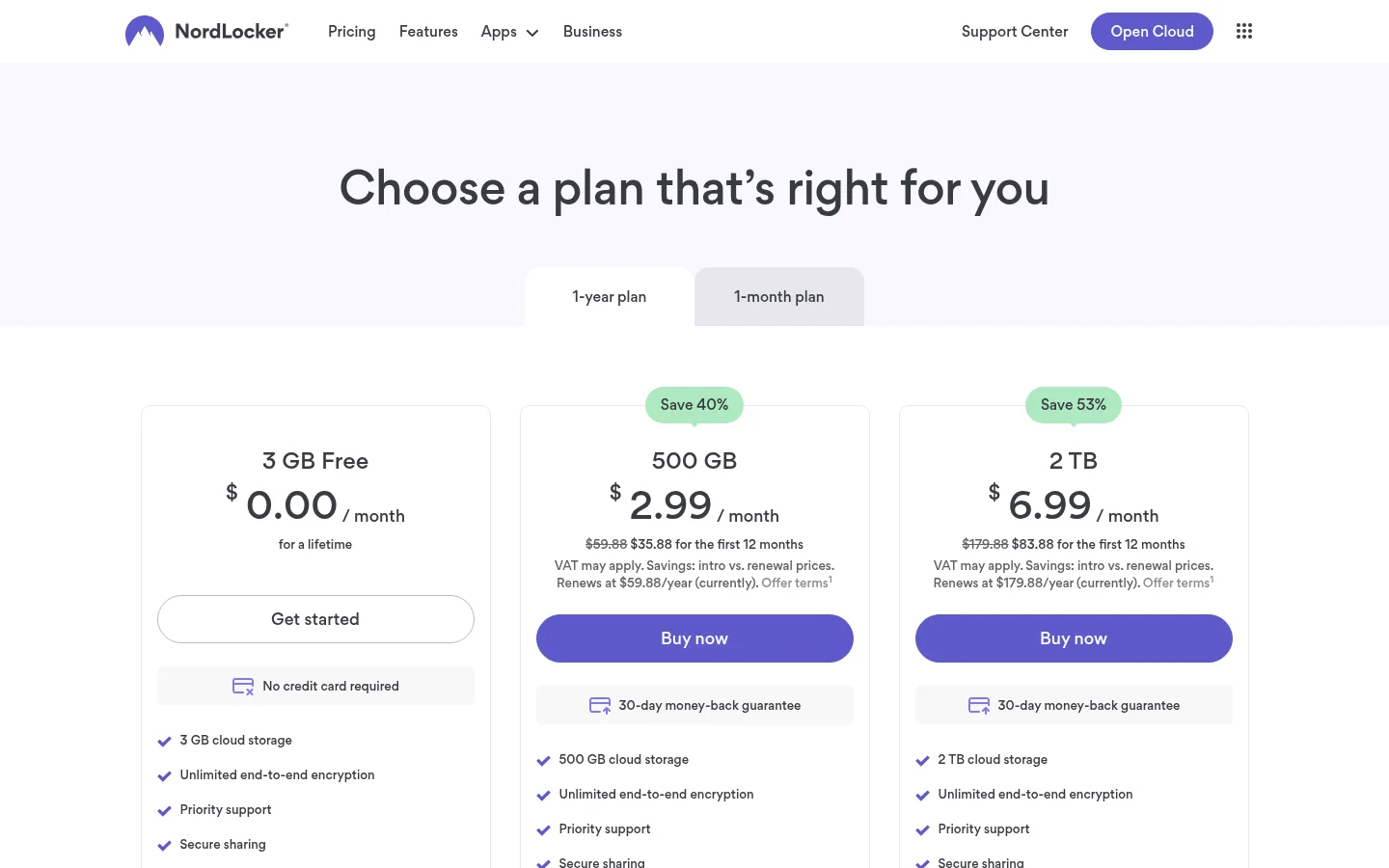
As of November 2026, NordLocker’s plans page lists 3 GB of cloud storage on Free, plus paid storage tiers of 500 GB and 2 TB. The same page lists secure sharing on the plans. Its business sharing page describes password and expiry settings, revoking access, encrypted lockers shared by email and encrypted files shared by link.
NordLocker’s file-size guidance, checked November 2026, sets a 10 GB limit for a single file on Windows and an 8 GB limit on web, Android and iOS. The page says batch uploads have no overall limit as long as each file stays within its platform’s single-file limit.
What Tarkle does
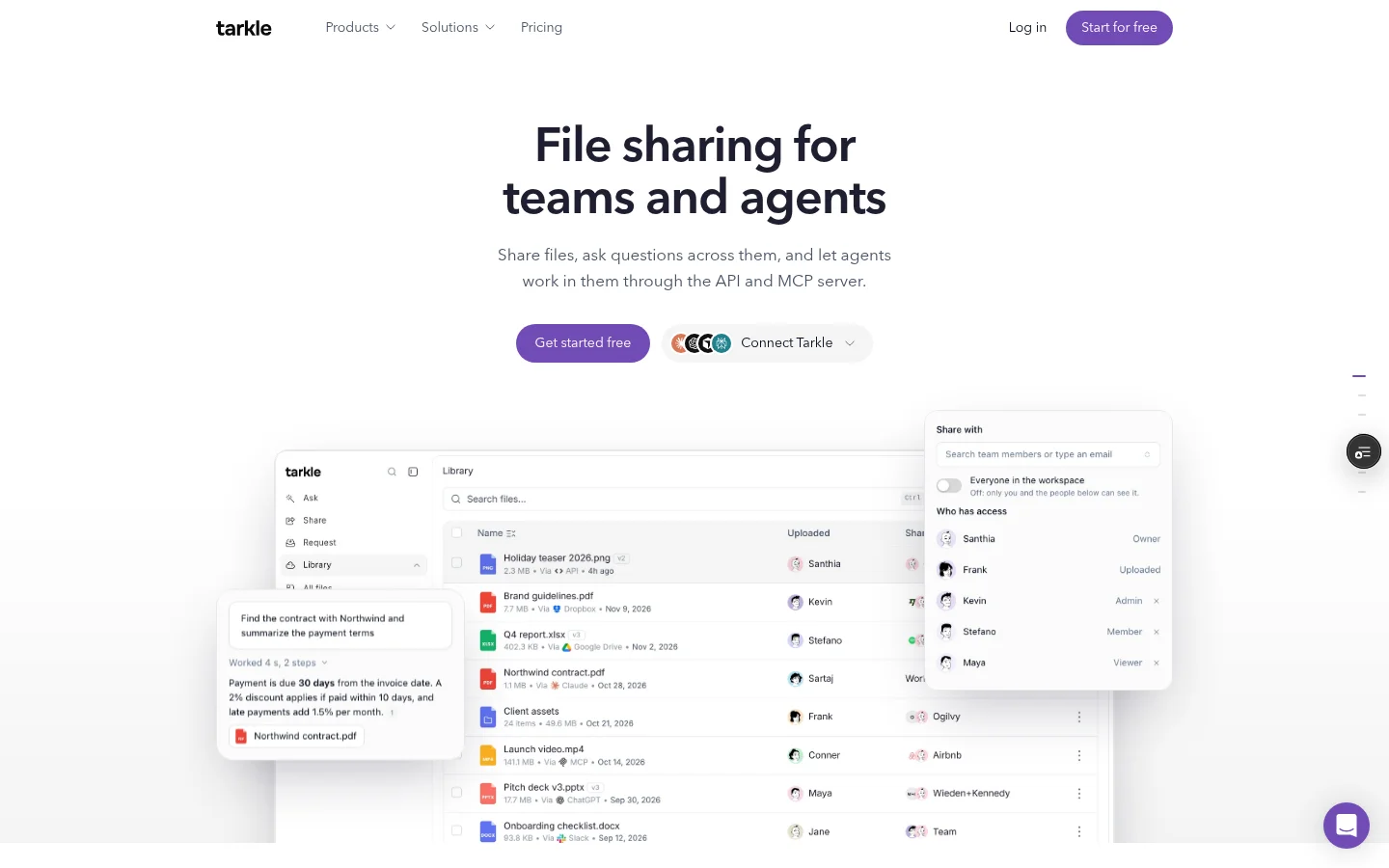
Tarkle gives you file transfers for sending work and file requests for collecting it. A file transfer page includes controls such as a password, an expiry date, view-only access and burn after reading. Transfer status shows when a transfer is delivered, viewed or downloaded, when those events apply.
For files coming back, a file request is a link that lets anyone send files into a folder in your workspace. For ongoing client work, the client portal gives a contact a branded sign-in. Its Files view includes files shared with the contact and files and folders the contact uploads. Portal access depends on plan eligibility and the workspace’s Client portal setting; each linked contact also needs portal access enabled. The portal plan guide lists Pro and Agency.
The plans separate storage and branding. Free includes 5 GB of storage, files up to 1 GB and a custom domain. Pro is $20/month or $200 billed yearly, with 3 TB of business storage, files up to 200 GB, custom branding and the client portal. On Pro, Powered by Tarkle can be removed on the organization’s own domain. Agency is $50/month or $500 billed yearly, with 6 TB of pooled storage, 10 client workspaces and a white-label platform. See Tarkle’s plans and prices for details.
NordLocker vs Tarkle
Job | Tarkle | NordLocker |
|---|---|---|
Storage tiers | Free: 5 GB; Pro: 3 TB; Agency: 6 TB | Free: 3 GB; paid tiers: 500 GB and 2 TB |
Largest single file | Free: 1 GB; Pro and Agency: 200 GB | Windows: 10 GB; web, Android and iOS: 8 GB |
Sharing controls | Password, expiry, view-only and burn after reading | Passwords, expiry, revoking access; encrypted links and email-shared lockers |
Client file exchange | File requests and a portal Files view with shared files and client uploads | Encrypted files by link or lockers shared by email |
The difference is how client files move in both directions. NordLocker describes encrypted storage and sharing controls. Tarkle pairs outbound transfers with file requests and a portal where a client can return to shared files and their own uploads.
Why teams use Tarkle for client files
A finished transfer and a request for source material are different jobs. With Tarkle, you can send a file transfer with a password or expiry, check its delivery status and use a file request when a client needs to send documents back. If the work continues, the portal gives the linked contact a place to find shared files and their uploads.
Free includes a custom domain, while custom branding is included with Pro and Agency. Agency adds the white-label platform and 10 client workspaces. Pro can remove Powered by Tarkle on the organization’s own domain. These plan details help you match branding and client access to the way you share files.
Before moving a project, list the files you need to send and the files you need from the client. That makes it clear whether to prepare a transfer, a file request or both.
Moving client files into Tarkle
Start with one active project. Add the files you plan to share from your computer in Files; the upload menu offers Upload files and Upload folder. Then use a file transfer for the items you are sending and a file request when the client needs to send material back.
If the client needs an ongoing place to return to, review the client portal guide and the portal plan details. Portal use depends on workspace availability and the contact’s portal access, so set up both parts before inviting the client.
Frequently asked questions
How much storage does NordLocker Free include?
NordLocker’s plans page lists 3 GB of cloud storage on Free. Tarkle Free includes 5 GB of storage and files up to 1 GB.
Can NordLocker share files with clients?
Yes. NordLocker describes encrypted files shared by password-protected link and email invitations to Editors and Viewers. Its business page also lists expiry settings and the ability to revoke access.
What can a client see in Tarkle’s portal?
The Files view brings together items shared with that contact and files and folders the contact uploads. The contact’s own uploads therefore appear alongside shared files in the portal.
Which Tarkle plans include the client portal?
The portal is included on Pro and Agency. Portal availability also depends on the workspace’s Client portal setting, and the linked contact needs portal access enabled.
Does Tarkle Free include custom branding?
Free includes a custom domain; Pro includes custom branding. Pro can remove Powered by Tarkle on the organization’s own domain, and Agency includes the white-label platform.
How do I add files to Tarkle?
Open Files in your workspace and choose Upload files or Upload folder. For exchange with a client, pair the upload with a file transfer or a file request, depending on whether you are sending files or collecting them.
Start with a file transfer
Compare the plans and prices, then Start for free.