Tarkle vs Sinosend: client portals and tracking
Tarkle vs Sinosend comes down to the client relationship around a file: Tarkle brings shared files and client uploads into a portal, while Sinosend emphasizes delivery tracking and location details. Tarkle connects file sharing with clients, a client portal and file requests.
What Sinosend is
Sinosend describes its service as a way for teams to move files across borders. Its published pages emphasize tracking file access and choosing a delivery region. See Sinosend's home page and pricing page, as published in November 2026.
What Sinosend offers
Sinosend's delivery intelligence page describes download tracking by city, region and country, with alerts for file activity. Its data residency page says a sender can select a region for a specific delivery. Its pricing page describes transfer portal customization and the ability to update or remove files behind an existing transfer link.
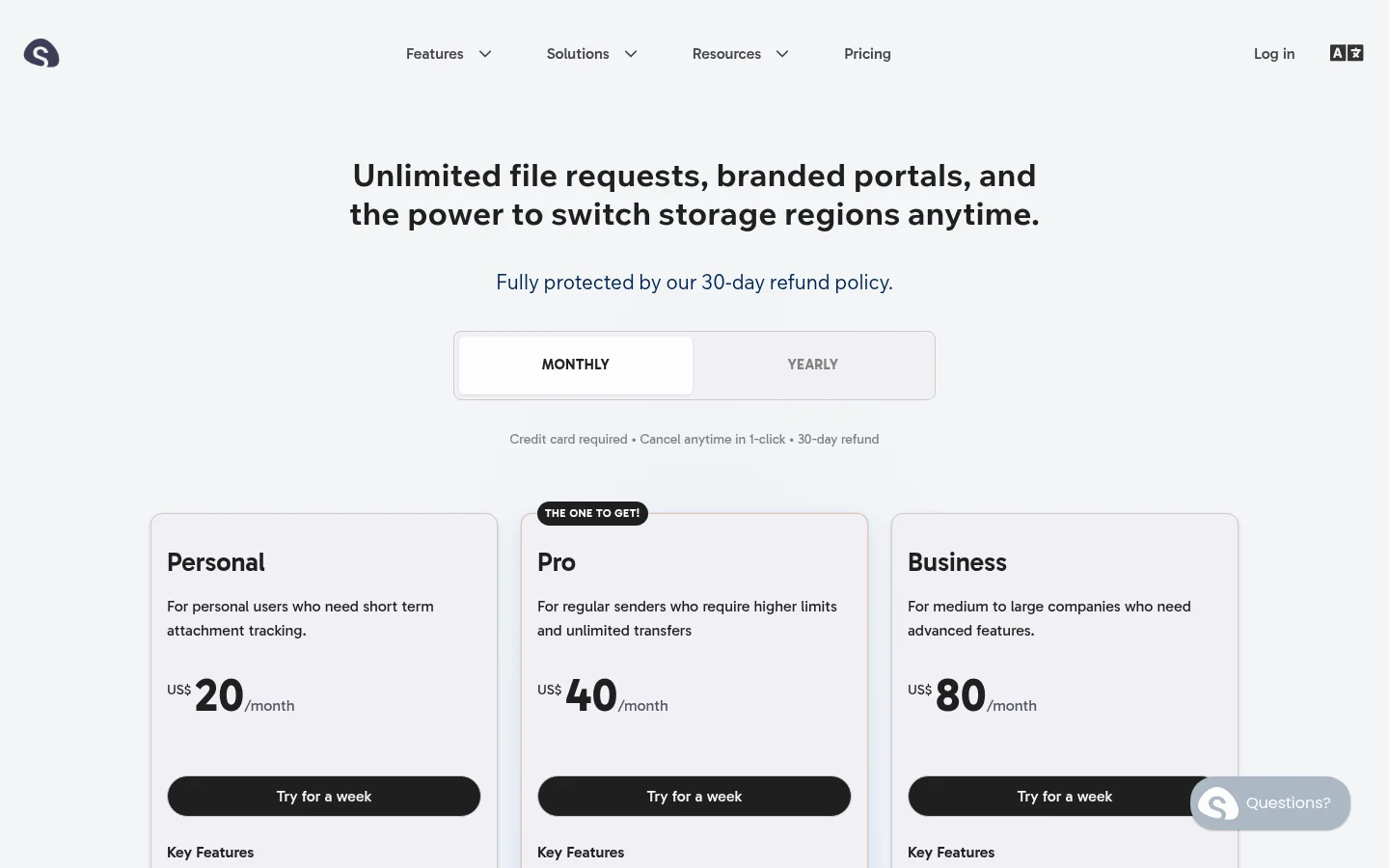
Those details put focus on the transfer itself: where a recipient accesses a file, and how the sender manages the contents behind its link. Sinosend's pricing page describes transfer portal customization with a banner and profile picture.
What Tarkle does
Tarkle connects file delivery to an ongoing client relationship. The client portal is available on Pro and Agency. Its Files view includes files shared with the client and files in that client's own upload folder; portal access depends on the workspace portal being available and access being enabled for that contact.
For incoming material, file requests give clients a link to upload into a chosen folder. For outgoing work, file sharing lets you share files through a link. Public links and valid token links can be opened without signing in; an organization-restricted transfer requires a signed-in client from the matching organization. A password or email gate can add another access step.
Transfer status shows whether a transfer was delivered, viewed or downloaded. Slack download alerts can include the country and, when available, the city. The Slack integration brings those alerts into a workspace's connected Slack account.
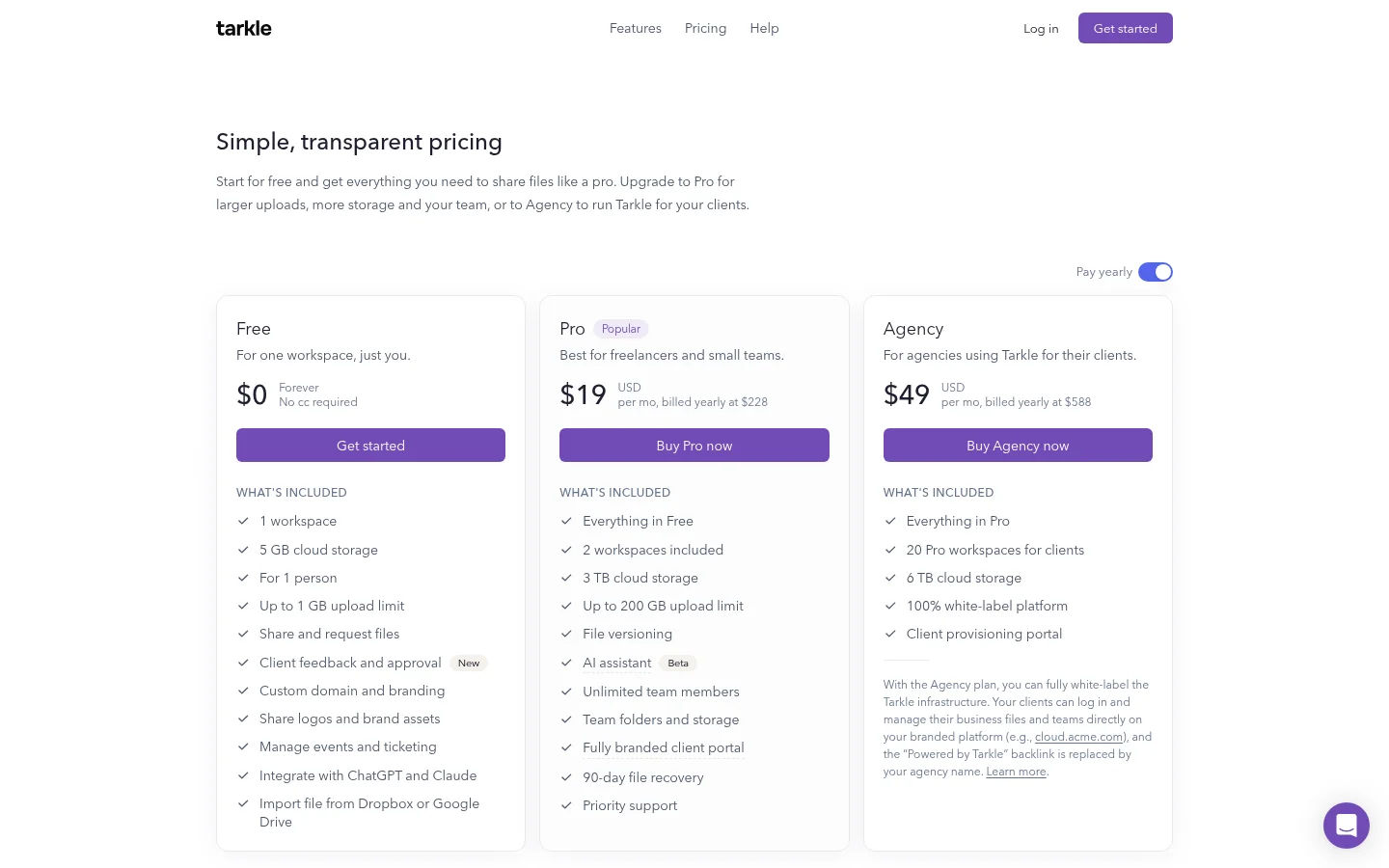
The plans distinguish custom domains from branding. Free includes a custom domain, while custom branding and a client portal are listed on Pro and Agency. Pro can remove “Powered by Tarkle” on the customer's own domain. Agency replaces Tarkle's branding when the organization is active, its White label setting is enabled and its Agency plan is in force. See Tarkle's plans and prices.
For storage, Free includes 5 GB and files up to 1 GB. Pro includes 3 TB pooled storage and files up to 200 GB; Agency includes 6 TB pooled storage and files up to 200 GB. Tarkle lists data residency in Europe, the United States, Hong Kong and Australia.
Sinosend vs Tarkle
Area | Tarkle | Sinosend |
|---|---|---|
Client access | Pro and Agency include a client portal with shared files and the client's own uploads. | Transfer portal customization includes a banner and profile picture. |
Collecting files | File requests give clients a link to upload into a chosen folder. | The pricing page describes request portal customization. |
Delivery activity | Transfer status shows delivered, viewed or downloaded; Slack download alerts can include country and city when available. | Delivery intelligence describes download tracking by city, region and country, with alerts for file activity. |
Data region | Europe, the United States, Hong Kong and Australia. | A sender can select a region for a specific delivery. |
Updating a transfer | An already-paid transfer cannot be changed; a transfer for sale cannot take a folder replacement. | Files can be updated or removed without changing the transfer link. |
The distinction is the context around a transfer. Sinosend's published pages focus on access activity and the selected delivery region. Tarkle pairs delivery status with a place for clients to find shared files and send their own uploads.
Why teams use Tarkle with clients
A client can return to the portal for shared work and files they uploaded. File requests give you a separate way to collect incoming material into a folder, while transfer status tells you whether an outgoing transfer was delivered, viewed or downloaded.
Branding also depends on what the organization needs. Free includes a custom domain. Pro adds custom branding and can remove the Powered by line on the customer's own domain. Agency adds a white-label platform, with agency branding applied when the organization is active, the White label setting is on and the Agency plan is in force.
Tarkle can replace an item in an existing transfer, subject to two restrictions: a transfer that has already been paid for cannot be changed, and a transfer for sale can take a file replacement but not a folder replacement. Sinosend's pricing page says files can be updated or removed without changing the link.
The plans and storage allocations are listed on Pricing. The Free plan can be created and used without adding a credit card, so you can start with a real file-sharing workflow before choosing a paid plan.
Moving client work to Tarkle
List the client transfers and file requests that still need active links.
Download the files you want to keep, then organize them in folders for the right clients.
Create file requests for incoming material and send the new links to the people who need them.
Create a test transfer, open it as a recipient, then send the replacement link to your client.
Before you replace an active link, note which files your client still needs and send the new link directly to them.
Common questions about Sinosend and Tarkle
Does Tarkle have a client portal?
Yes. Pro and Agency include a client portal. Its Files view contains files shared with the client and files in that client's upload folder; the workspace portal and that contact's access must both be enabled.
Does Sinosend show where a recipient downloads a file?
Sinosend's delivery intelligence page describes downloads by city, region and country, with alerts for file activity. Tarkle shows delivered, viewed or downloaded status, and Slack download alerts can include country and city when available.
Can clients send files back through Tarkle?
Yes. A file request gives a client a link to upload into a chosen folder.
Can a Tarkle transfer be opened without signing in?
Public links and valid token links can be opened without signing in. Organization-restricted transfers require a signed-in client from the matching organization, and password or email gates can add another step.
Can I change files behind an existing link?
Tarkle can replace an item in an existing transfer, except that an already-paid transfer cannot be changed and a folder cannot replace an item in a transfer for sale. Sinosend's pricing page says files can be updated or removed without changing the transfer link.
Which data regions does Tarkle list?
Tarkle lists Europe, the United States, Hong Kong and Australia. Sinosend says a sender can select a region for a specific delivery.
How can I compare Tarkle's plans?
Free, Pro and Agency have different storage, file size and branding details. See Tarkle's plan details, then start for free with the file-sharing workflow you want to test.