DocSend alternative for freelancers and small teams

A DocSend alternative for freelancers and small teams should answer a practical question: did the client open or download the file? Tarkle shows whether a transfer was viewed or downloaded, and supports password and expiry settings for public file transfers. DocSend reports deeper document engagement, including page-by-page analytics, so start by comparing the information your work needs.
Last checked: November 2026.
What does DocSend show after you share a document?
DocSend's Performance tab reports the average percentage of a document viewed and total visits. Its Top Pages view shows frequently visited pages and the average time spent on each page. The comparative report also includes time per page and a drop-off report, according to DocSend's Performance tab guide, read in November 2026.
The Activity tab also records visitor activity, downloads, time spent and last visit. Expanding a visitor's activity shows the files they visited and page-by-page analytics, as described in DocSend's dashboard guide, read in November 2026. For document review, this detail helps answer more than whether a link was opened.
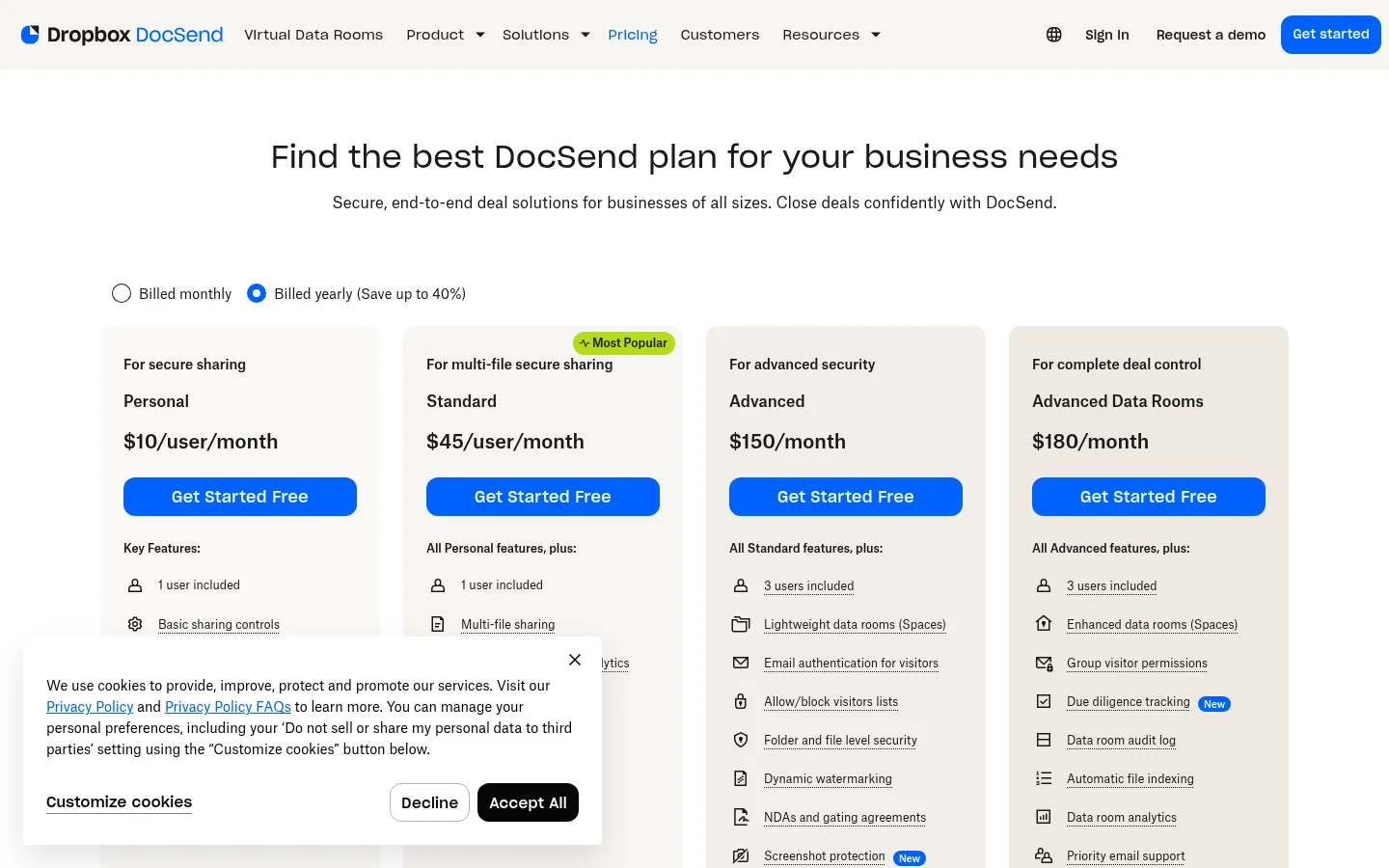
What does a DocSend alternative show after a file is shared?
Tarkle's transfer status shows whether a transfer was viewed or downloaded. It answers the practical follow-up, “Did you get the file?” without presenting page-by-page reading time. A transfer status is about the transfer, not a report of which page in a document held attention.
For a public file transfer, you can set a password or expiry date, then disable the link when you want it to stop working. Tarkle's password protection and link expiration pages explain those controls. If you share client files over time, the client portal file list includes files shared with the contact and files in that contact's upload folder.
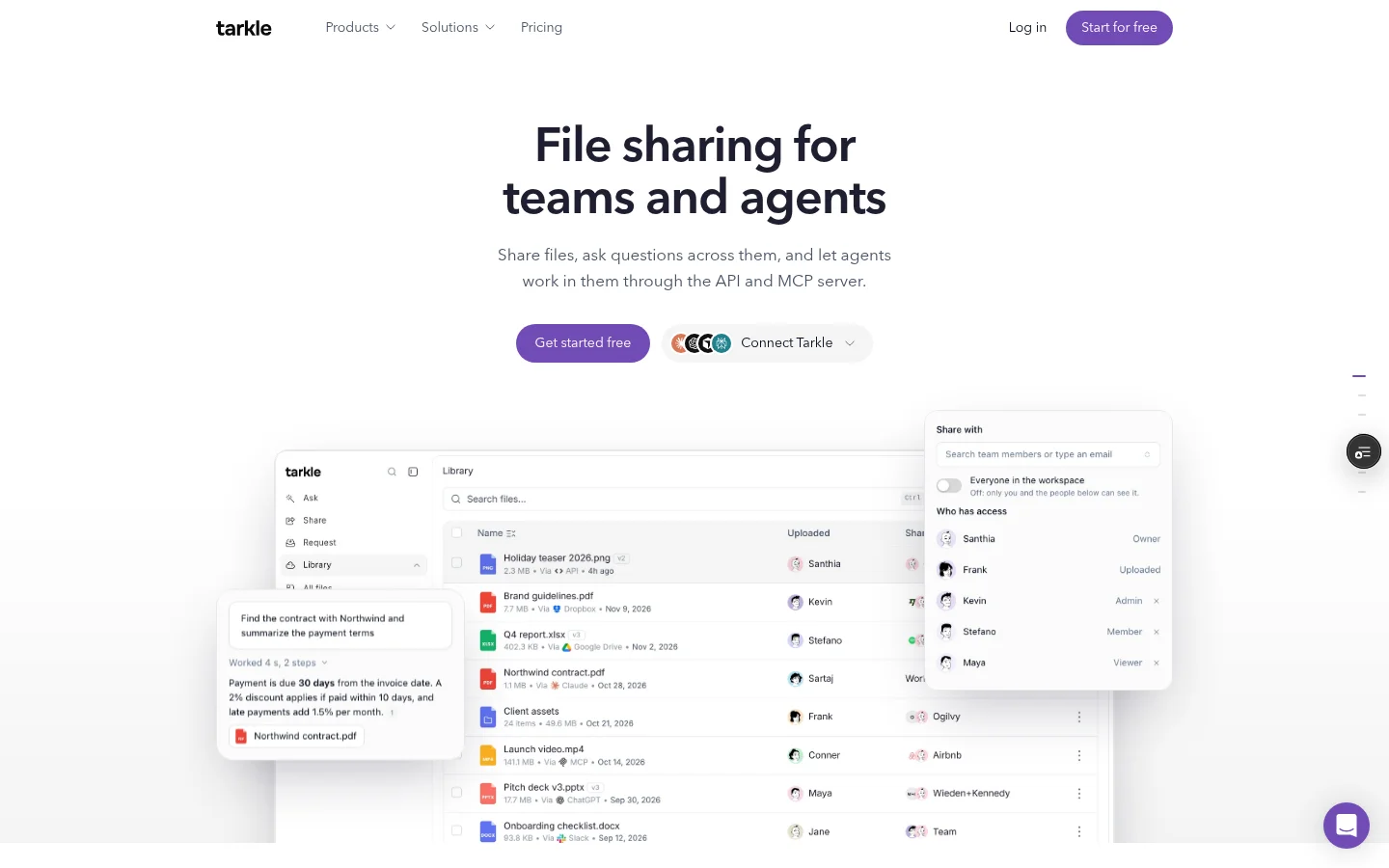
Compare the work each tool helps you follow
Comparison point | DocSend | Tarkle |
|---|---|---|
Know whether a file was opened | Activity includes visitor activity and page-by-page analytics. Read DocSend's Activity tab guide. | Transfer status shows whether a transfer was viewed or downloaded. |
Share several files | DocSend Spaces share multiple files through one link on Standard, Advanced and Advanced Data Rooms, according to its Spaces link settings. | The client portal file list brings together files shared with a contact and files that contact uploads. |
These rows compare specific tasks, not every feature in either product. DocSend also offers watermarks on Advanced and Advanced Data Rooms, according to its watermark guide. Tarkle's plan details list custom branding and a client portal on Pro, alongside its other sharing features.
Compare prices with plan details
Before choosing a plan, compare its price with the features your team expects to use. Tarkle's Free plan includes 5 GB of storage, file sharing, file requests, a custom domain and password protection for shared files. Custom branding is not part of the Free inclusions; the plan details list custom branding and a client portal with Pro. Pro costs $20 per month or $200 billed yearly.
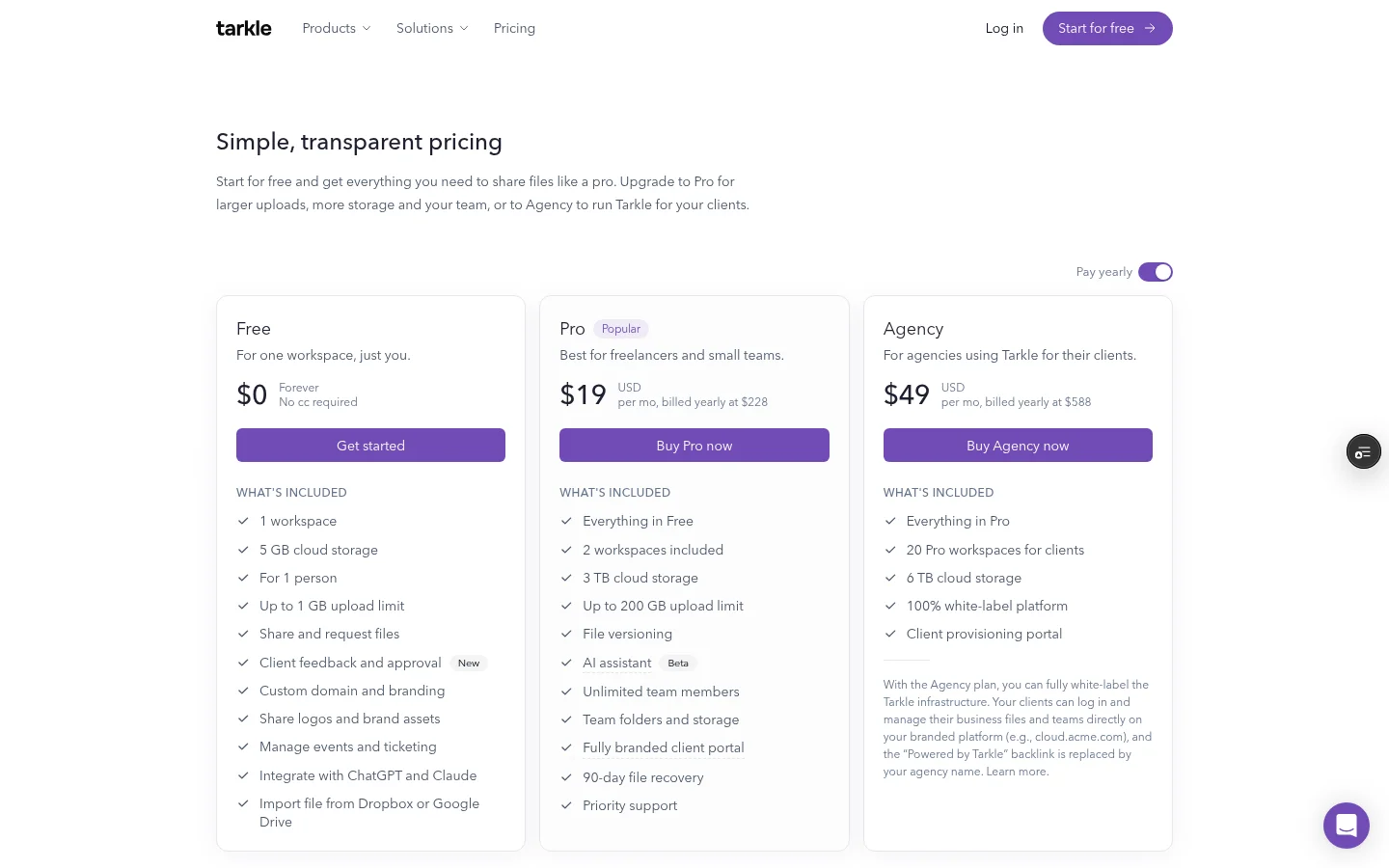
Which details matter for your next client file?
Make a short checklist around the work you send, rather than comparing every feature on every plan. Ask:
Do I need page-by-page reading time, or is viewed/downloaded status enough?
Will I share one document or a set of files through a client portal?
Do I need a password, an expiry date or a way to disable a link?
Which plan includes the branding and team features I want?
What does the price cover: an individual user or the whole service I need?
Before changing a file-sharing routine, choose one proposal or client file and write down what you need to know afterward. Use the same questions to assess each tool, then compare the plan details for the controls you use.
For a practical comparison, choose one public file transfer and check whether you can set a password or expiry and whether its status shows Viewed or Downloaded. If you are considering a client portal, check that its file list includes both shared files and that contact's uploads. For more examples, see file sharing for freelancers.

What to remember about Tarkle
Tarkle gives freelancers and small teams transfer-level viewed and downloaded status, password and expiry controls, custom branding and a client portal on Pro. Its portal file list includes both files shared with a client and files that client uploads. Start for free or compare plans and pricing.