Proton Drive alternative: send files to clients (2026)

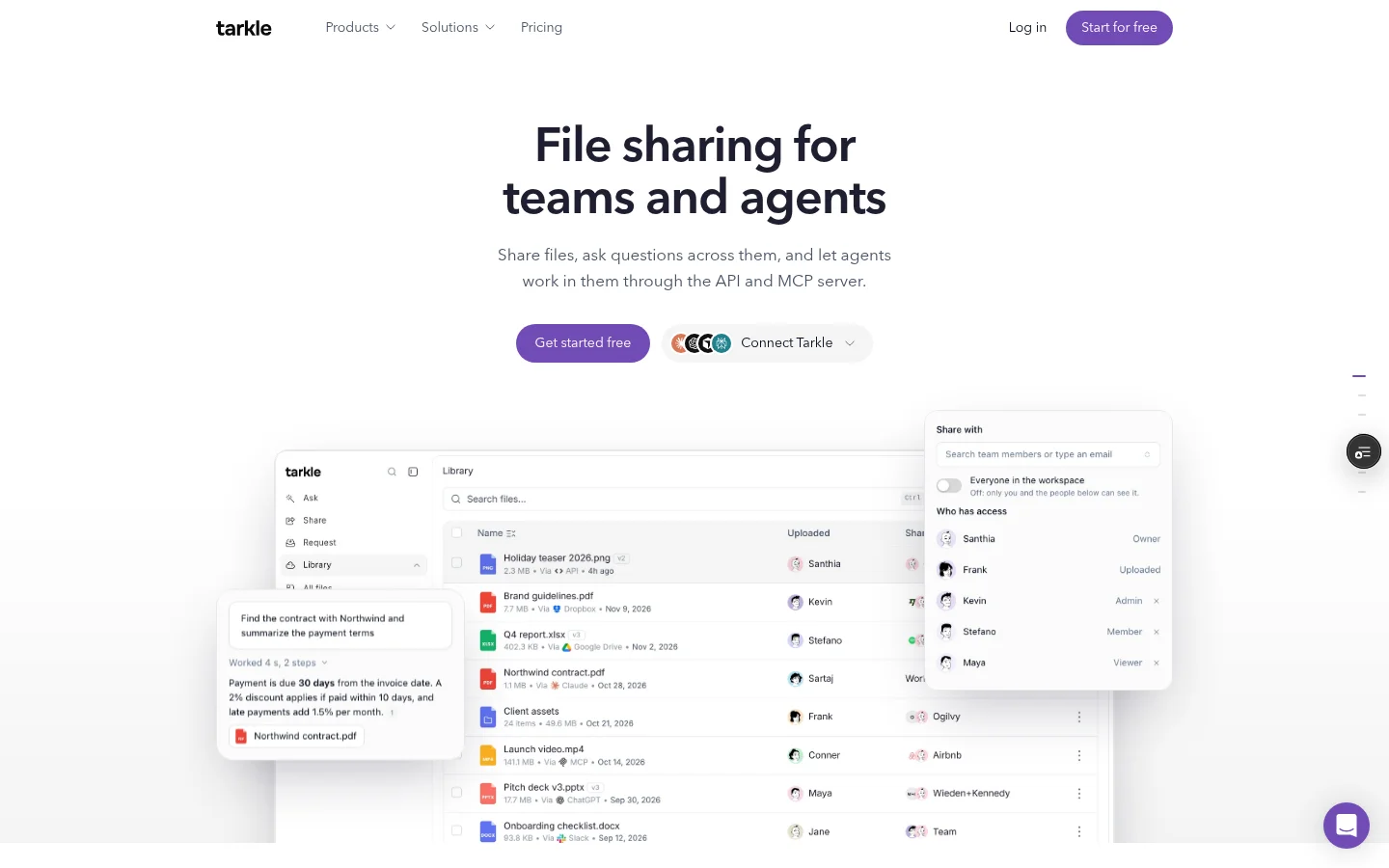
A Proton Drive alternative for sending files to clients should make recipient access clear and show what happened after you share. Tarkle gives business teams branded file transfers, recipient controls and transfer status through file sharing.
Last checked: November 2026.
Proton Drive alternative for sending client files
Proton says each file is encrypted on your device before it is stored on its server. It offers link sharing and email invitations for files and folders, so the recipient's access route matters when you send client work. (Proton Drive file sharing and Proton's guide to public links, checked November 2026.)
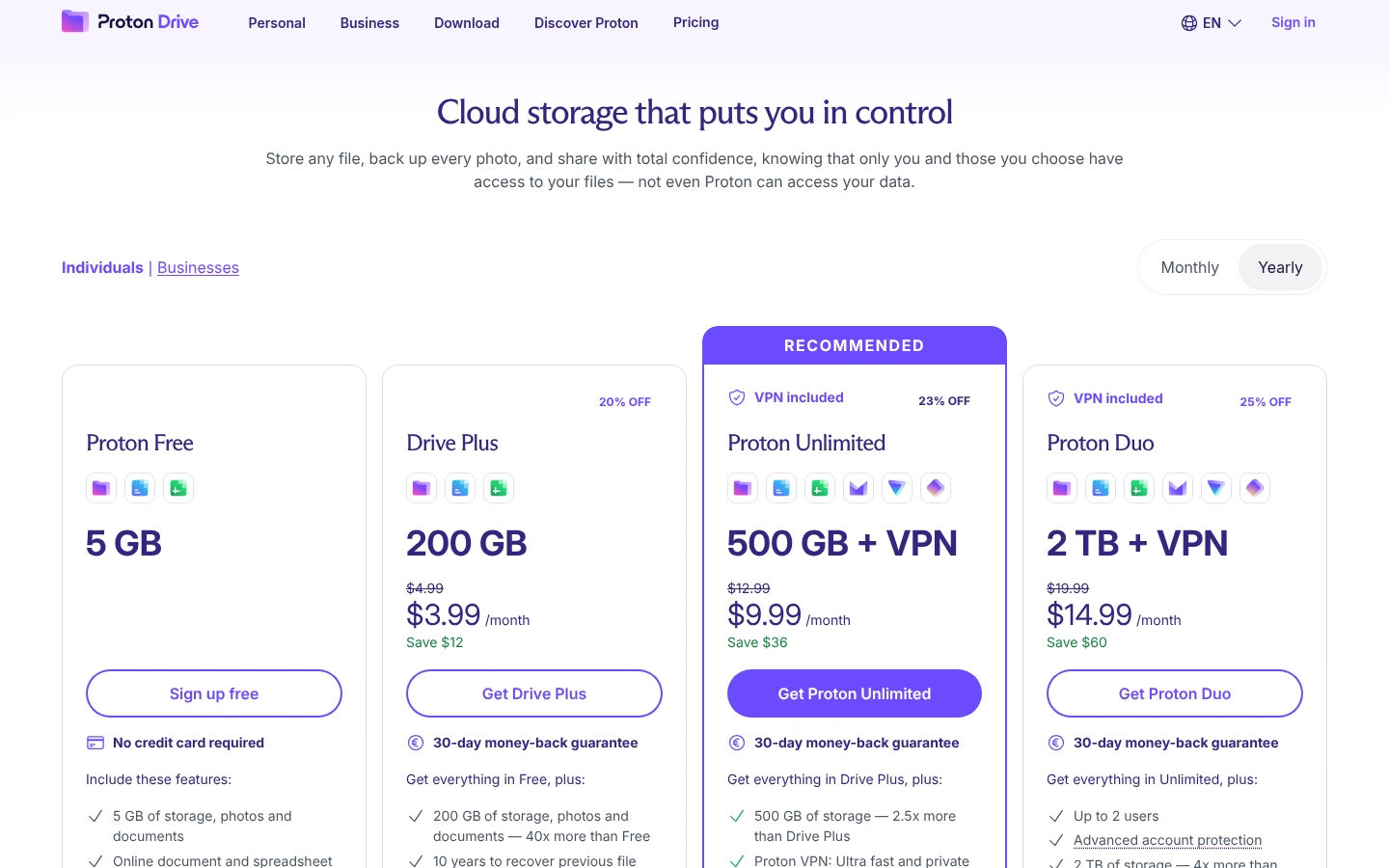
A public link and an email invitation have different account rules. Proton says public-link recipients do not need a Proton Account to view or download. Its guide for invitations to non-Proton email addresses says those recipients need to create a Proton account to access the shared content. (Proton's non-Proton email guide, checked November 2026.)
For public links, Proton documents password protection and an expiration date. It also says you can stop sharing a link to end access. These link controls matter when you want to set a deadline or close access after a transfer.
What should you compare before sending client files?
Four things matter alongside where the files are stored:
How the client gets in. A public link, an email invitation or an organization-restricted link can ask the recipient to do different things.
File size and storage. Check the limits that apply to the plan and the particular sharing flow.
When access ends. Look for an expiry date or a link that stops working after its first download.
What you can see afterward. A delivery, view or download status can help you decide whether to follow up.
Send yourself a test link and open it in a private browser window. You can check the recipient steps before sending a real client transfer.
A simple test is to verify both the recipient view and the follow-up record before relying on a tool for a real client file transfer.

How does Tarkle help you send files to clients?
Pick files or folders, create a transfer and send its link. Public transfers can be opened without signing in, and a valid token link can also be opened without signing in. A transfer restricted to a client organization requires a signed-in client in that same organization. A password or email gate can add another access step for the recipient. You can create and manage transfers in the workspace's Transfers page.
The link controls are chosen for the transfer. Password protection adds a password gate for external recipients. Link expiration lets you set a date after which a transfer link stops working, while a one-time download link stops working after its first download. You can also revoke a link when access should end sooner.
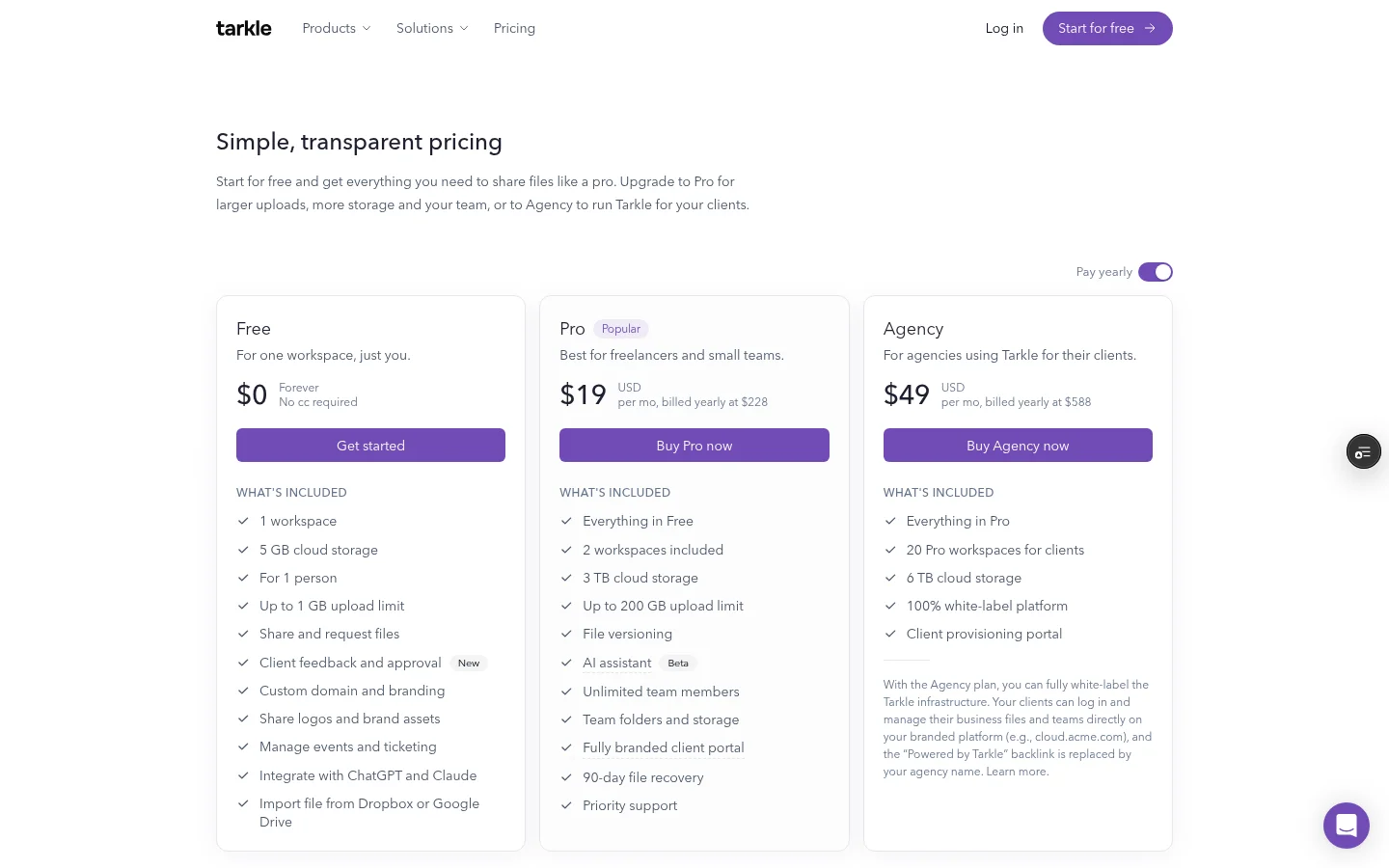
Tarkle supports files up to 1 GB on Free and up to 200 GB on Pro and Agency. Send large files describes the larger-file transfer. Pro includes custom branding and a client portal; Agency includes everything in Pro.
A Viewed badge appears when a transfer has a recorded view, and a Downloaded badge appears when it has a recorded download. A Delivered badge appears when the delivery status is set; its tooltip says the email was delivered. See transfer status for what those statuses tell you.
Proton Drive and Tarkle side by side
Tool and access route | What the recipient needs |
|---|---|
Tarkle public transfer | Can open without signing in. |
Tarkle valid token link | Can open without signing in. |
Tarkle organization-restricted transfer | A signed-in client in the matching organization. |
Proton public link | No Proton Account needed to view or download. |
Proton email invitation to a non-Proton address | The recipient needs a Proton account to access the shared content. |
What do the plans cost?
Proton's Drive Plus pricing page displayed $2.49/month when checked in November 2026. The plan lists 200 GB of storage. The page says it is billed at $29.88 for the first 12 months, then renews at $47.88 every 12 months. Check Proton Drive pricing for the billing terms you are comparing.
Tarkle Free costs $0. It includes 5 GB of storage. Free files can be up to 1 GB. Pro costs $20 per month or $200 billed yearly, with 3 TB of storage and files up to 200 GB. Agency costs $50 per month or $500 billed yearly, with 6 TB of pooled storage and 10 client workspaces. The plans belong to the organization. See Tarkle plans and pricing for the full details.
What to remember about Tarkle
Tarkle gives client teams branded file transfers, link controls and a record of transfer activity. Public transfers can open without signing in, and valid token links can too. Organization-restricted transfers require a signed-in client in the matching organization. Start for free.