What to consider before signing up for Dropbox

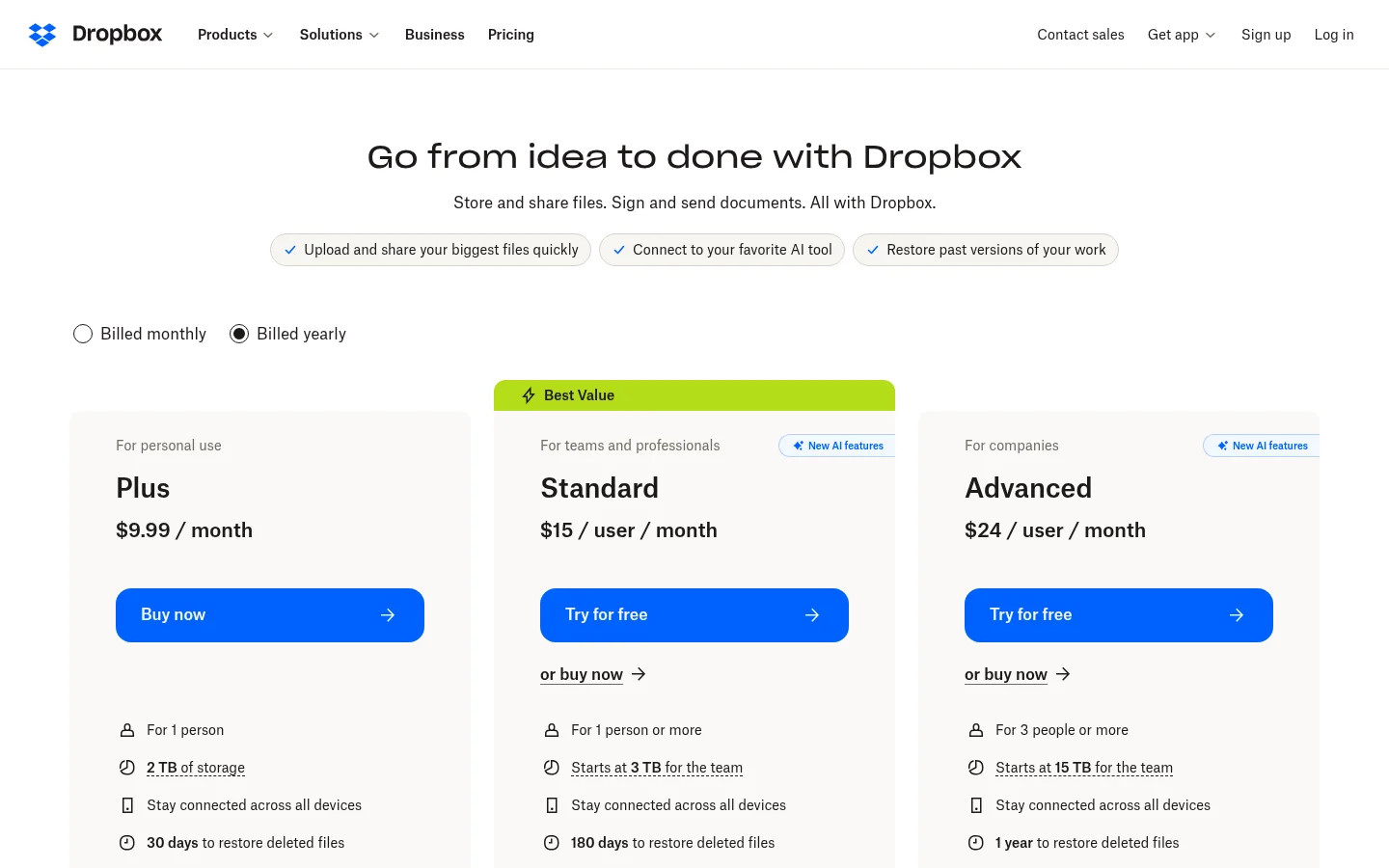
Trustpilot's company profile describes Dropbox as a way to store, sync and share files online. Before signing up for Dropbox for business files, client work or large archives, check the points below.
What public reviews say, and what they cannot show
On Trustpilot, Dropbox had 1,610 reviews when we checked it for this update. Trustpilot's summary of recent reviews says that many people were dissatisfied with the customer service, noting that support agents are unhelpful, slow, and difficult to reach.
Trustpilot's summary also says reviewers highlight negative aspects of subscription management, and that some reviewers say file syncing works quickly.
Trustpilot also says the company hasn't invited customers recently, so reviews may not be representative, and that it has not replied to negative reviews. Reviews are individual experiences. Use them to decide what to test, not as proof of how Dropbox will treat your account.
Start with the job you need done
Check Dropbox against the job in front of you. Decide which of these matters most:
Syncing files across staff computers and phones
Storing and backing up files for a team
Sharing internal folders with colleagues
Sending one-time files to people outside the team
Sharing files with clients under your own brand
Giving clients access to files, video or audio on your own domain
Tarkle is designed primarily for agencies, consulting firms, and other client-facing businesses. If your main need is syncing across staff computers, test that workflow with Dropbox before you choose a tool for client work.
Check billing and cancellation before signing up for Dropbox
Trustpilot's summary points to negative reviews about subscription management, so read the billing rules before you pay. Confirm these points on Dropbox's own plan and billing pages:
How to cancel a paid plan and when the cancellation takes effect
How a downgrade or a change of plan is billed
How automatic renewal is turned off, and the notice period for annual billing
How to reduce the number of paid seats
How a refund request is handled when a plan renews
Which other subscriptions sit on the same account
Keep the confirmation emails for every change you make.

Check support before a deadline
The customer service comments in Trustpilot's summary are the reason to check support early. Before a client deadline depends on it, find out:
Which support channels your plan includes
How account, billing and data-recovery problems are escalated
What response time your plan documents
Whether you have a named contact
Plan for account recovery
Account access is a business risk, whichever provider you use. Set up a recovery plan before you store anything critical:
Add more than one administrator
Keep recovery codes in a company-controlled place
Do not tie the workspace to one person's phone
Record who controls the billing email and the recovery contacts
Test how an administrator is added and removed
Test restores before you rely on backups
Trustpilot's summary mentions unexpected complications with file storage, backups. Test a realistic restore before backup becomes your only copy:
Restore a single file and a whole folder
Time a restore of a large folder
Check whether folder structure and file dates survive
Check how long deleted files and earlier versions stay available
For client files, financial records and production assets, keep an independent copy as well.
Check how clients receive files
Shared folders are useful inside a team. For clients and other outside recipients, test the experience from their side:
Does the recipient need an account to open the file?
Does a shared folder use the recipient's storage?
Can a client see only the files meant for them?
What happens to a link or folder when you remove a user or change plans?
These questions matter most for agencies, photographers, studios, consultants and law firms, because they send files to people outside the team.
Compare the recipient's experience
If files are part of the service you sell, look at the page your client sees:
Can the link use your own domain?
Can you add your brand to the page?
Can you protect a file with a password?
Can you stop access after you send a file?
Can you request files from a client?
Can you host video and audio in the same place?
The next section gives the plan details.
Where Tarkle fits
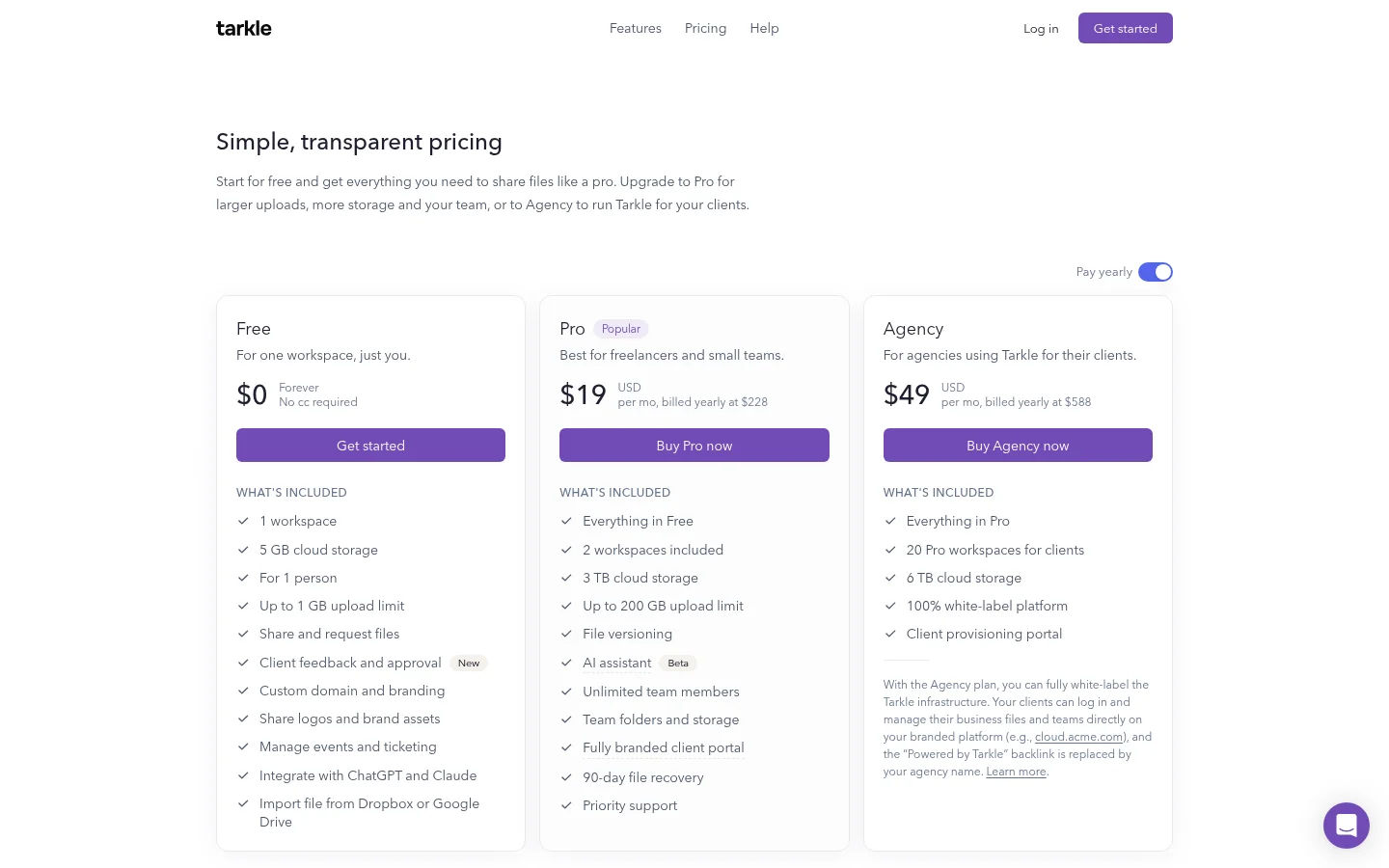
Tarkle is designed primarily for agencies, consulting firms, and other client-facing businesses. Custom domains are available on every plan. Recipients of a public link can open or download the file without creating a Tarkle account. You can also protect shared files with passwords, and access, expiration and revocation controls are part of the service. Tarkle also hosts audio and video.
Free: $0 forever, no credit card required. One workspace for one person, 5 GB of cloud storage, uploads up to 1 GB, sharing and requesting files, and a custom domain.
Pro: $29 a month, or $19 a month billed yearly ($228 a year). Two workspaces, 3 TB of cloud storage, uploads up to 200 GB, team folders and storage, a fully branded client portal, and 90-day file recovery.
Agency: $59 a month, or $49 a month billed yearly ($588 a year). Everything in Pro, plus 20 workspaces, 6 TB of cloud storage, a 100% white-label platform where the Powered by Tarkle backlink is replaced by your agency name, and a client provisioning portal.
See pricing for the full plan lists.
Tarkle's focus is sharing files with clients. If your main need is syncing files across staff computers, test that workflow with Dropbox first. Some businesses may use both tools.
Before you decide
Dropbox can suit some storage and sync workflows. Public reviews point to issues worth checking, but they do not replace a test with your own files. Before you choose, run the real workflow your business depends on: storage, sync, client sharing, billing changes, support, account recovery and restores.
If your business delivers work to clients, test the last step most carefully. The page your client opens, its address and its access controls are part of how your service is experienced.
What to remember about Tarkle
Before you sign up for Dropbox, test billing, support, recovery and restores against the job you need done. Tarkle is designed primarily for agencies, consulting firms, and other client-facing businesses, with custom domains on every plan and a Free plan at $0 with no credit card required. Start for free or compare plans on pricing.
This article uses publicly available Trustpilot reviews of Dropbox as viewed on August 17, 2026. Reviews are individual opinions and experiences. They are not independently verified by Tarkle, may not represent all Dropbox customers, and should not be interpreted as evidence of universal product or business practices. Product plans, policies, support channels, and pricing can change. Businesses should verify current Dropbox terms directly before making a buying decision.